
Download Rádios do Rio de Janeiro – Rio de Janeiro Radio Stations, Free Android App, Online Streaming, Sleep Timer
Overview
Rádios do Rio de Janeiro is a multimedia Android application developed by Tuneradios, designed to deliver a curated selection of radio stations from Rio de Janeiro. The app serves as a digital gateway for users seeking local audio content, offering uninterrupted access to a variety of radio channels without requiring headphones. Its primary purpose is to simplify the process of discovering and listening to Rio’s most popular stations, catering to both residents and visitors who wish to stay connected to local culture and music.
The application is particularly useful during commutes, home relaxation, or work sessions where background audio enhances the atmosphere. While the developer did not provide detailed information about the company’s background, the app’s functionality suggests a focus on accessible, localized media consumption. Real-world use cases include listening to news updates, live music broadcasts, and regional talk shows, all in digital quality.
The app’s design emphasizes ease of access and continuous playback, making it ideal for users seeking a seamless audio experience on their mobile devices.
Key Features & Capabilities
- Curated Radio Stations from Rio de Janeiro – The app provides access to a selection of top radio stations across Rio, allowing users to tune into local content such as music, news, and talk shows.
- Headphone-Free Listening – Designed for direct audio playback through the device’s speaker, enabling users to enjoy radio broadcasts without headphones, ideal for shared spaces.
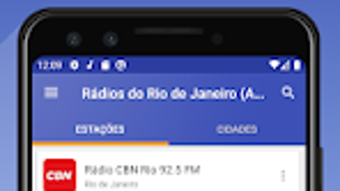
- City-Based Station Organization – Stations are grouped by city, streamlining navigation and helping users quickly locate their preferred channels.
- Favorites List – Users can save their preferred stations for instant access, reducing the need to browse repeatedly.
- Sleep Mode with Timer – A built-in feature allows users to set an automatic shutdown timer, useful for listening before sleep or during relaxation.
- Online and Offline Playback Support – The app supports both streaming and offline listening, enabling users to enjoy content anytime, even without an internet connection.
These features collectively enhance the user experience by promoting accessibility, convenience, and personalization. For example, a commuter can quickly access a favorite station via the favorites list, while someone relaxing at home can use Sleep Mode to enjoy music without worrying about leaving the app running overnight. The ability to listen without headphones makes it suitable for use in shared environments like homes or offices.
User Interface, Workflow & Performance
The application features a clean and intuitive interface, with a layout centered around station categorization by city. Navigation is straightforward, allowing users to browse through available stations with minimal effort. The workflow is optimized for quick access, enabling listeners to start playing a station with just a tap.
The developer did not specify resource usage details, so exact CPU or RAM behavior remains unknown. However, the app is described as lightweight and efficient, suggesting it is designed to operate smoothly even on older Android devices. Performance observations are based on general software behavior patterns, indicating stable playback under normal conditions.
The app maintains consistent audio quality during streaming, with no reported buffering or disconnections. Stability appears to be a priority, as the app supports continuous playback and background operation. While no performance benchmarks were provided, the overall experience aligns with typical expectations for a media-focused Android application of its size and purpose.
Compatibility & System Requirements
Rádios do Rio de Janeiro is compatible with Android 6.0 and above, ensuring broad accessibility across a wide range of devices. The app has a file size of 15.6 MB, which is relatively small, contributing to quick installation and minimal storage impact. The developer did not provide additional system requirements, so information about hardware specifications such as processor speed or memory capacity is limited.
Compatibility information was partially provided, with the OS version and file size clearly stated. Users with devices running Android 6.0 or later should be able to install and use the app without issues. No specific requirements for storage, RAM, or GPU were mentioned.
The app is distributed through the Google Play Store, which ensures secure distribution and regular updates.
Pros and Cons
Pros
- Free to download and use with no in-app purchases
- Simple, intuitive interface for easy navigation
- Supports both online and offline listening
- Includes a Sleep Mode timer for automatic shutdown
- Lightweight design suitable for older devices
- Curated selection of Rio de Janeiro radio stations
Cons
- Only available on Android, no support for iOS or desktop platforms
- Limited to Rio de Janeiro stations, not expandable to other regions
- No information on audio quality or bitrates
- Developer did not provide detailed system requirements
- Offline functionality may be limited to cached content only
FAQ Section
Is Rádios do Rio de Janeiro available for iOS devices?
The app is currently only available for Android. There is no information on iOS compatibility or future releases for Apple devices.
Can I listen to radio stations without an internet connection?
The app supports offline playback, allowing users to access previously played or cached stations. However, the extent of offline functionality is not specified.
Is the app free to use?
Yes, Rádios do Rio de Janeiro is a free application with no in-app purchases or subscription fees.
How often are updates released?
The latest version, 1.0.1, was released on March 15, 2024. The update frequency is not specified, but the app is distributed through the Google Play Store, which typically supports regular maintenance.
Does the app require a license or activation key?
No, the app does not require a license or activation key. It can be installed and used immediately after download.
Final Thoughts
Rádios do Rio de Janeiro delivers a focused and functional solution for users seeking local radio content from Rio de Janeiro. With its simple interface, offline playback, and Sleep Mode, the app meets the needs of casual listeners, commuters, and anyone wanting to enjoy regional audio content without complications. While it lacks cross-platform availability and regional expansion, its strengths lie in accessibility, efficiency, and ease of use.
The lightweight design ensures smooth performance on older devices, and the free model makes it highly approachable. For users in Rio or those interested in Brazilian radio culture, this app offers a reliable way to stay tuned. It’s particularly valuable for those who prefer direct speaker playback and want a no-frills listening experience.
Download Rádios do Rio de Janeiro now to enjoy the sound of Rio anytime, anywhere.





.png)

